STAY ORGANISED / MABASA GUIDES
How to track job applications without losing follow-ups
Keep a clear shortlist and application record with Mabasa’s free tracker, status views, a separate reminder routine and a browser-data backup.
THE SHORT ANSWER
Keep one record per role, update its status after each real action, and set follow-up reminders in your own calendar. Mabasa’s free Applications page offers List, Table and Board views without an account. Guest records stay in that browser; they do not automatically sync between devices.
Separate saved jobs from submitted applications
Bookmarks are for roles you want to return to. Applications is a record of where you are in the process. Mixing those two lists makes it easy to believe you applied when you only saved the advert.
Use one record for each employer and role. If an advert appears on two boards, compare the job reference and source before treating it as two openings. The tracker helps you keep an organised record, but it cannot guarantee that every external duplicate will be detected.
Add the job and choose an honest status
Open Applications in the free workspace. Choose Add job, enter the job title and company, and add a location or salary if useful. The Status field lets you start at the stage that reflects what has happened.
The guest tracker currently uses Interested, Applied, Interviewing, Offer and Archived. Choose Interested if you have not submitted yet. Mark a role Applied only after completing the employer’s application process, rather than merely opening its link.
- Select Add job in Applications.
- Enter the job title and company; include optional details you know.
- Select the appropriate status and save the job.
- Find the record later using the search box or status filter.
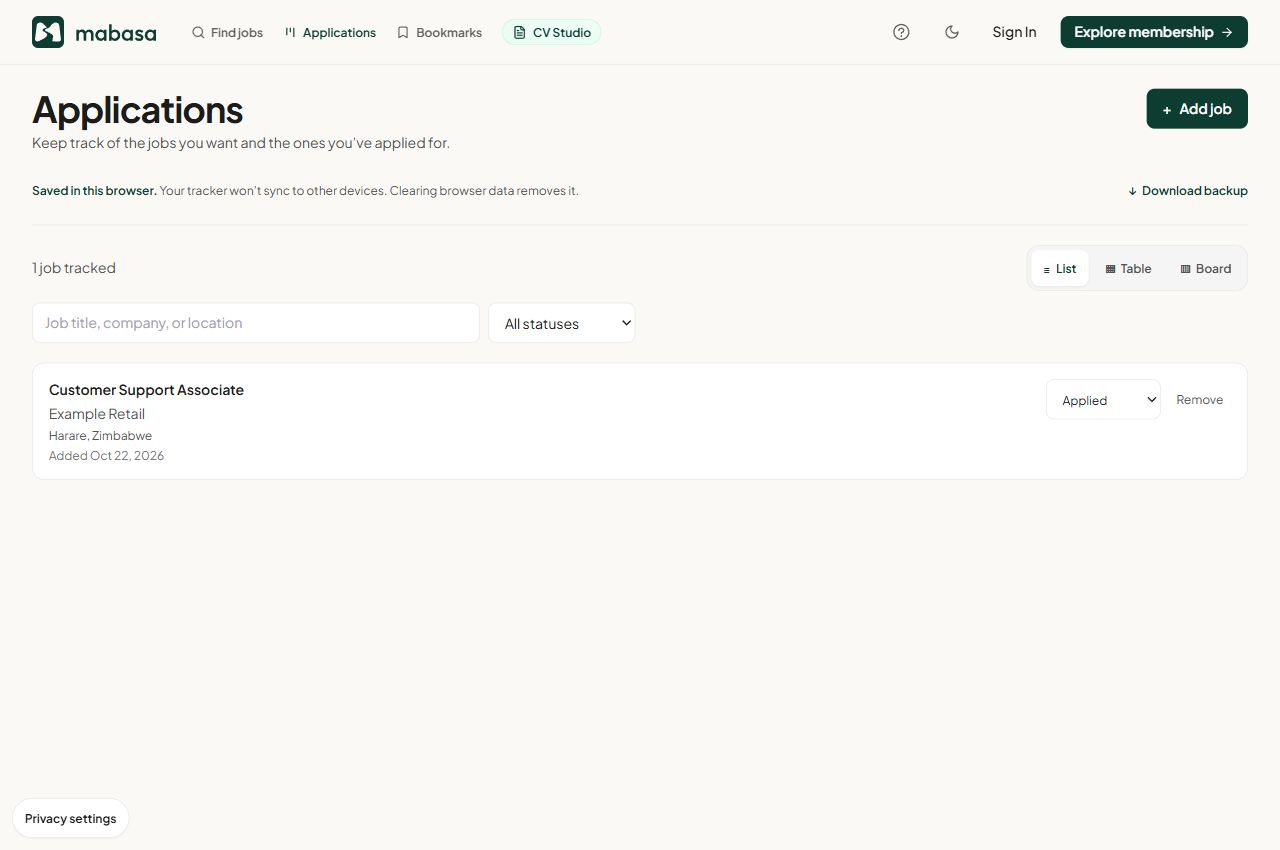
Choose a view that helps you decide the next action
List view is useful for a quick review. Table view places details in rows so you can compare them; on a narrow screen, scroll the table horizontally. Board view groups the records by status. Switching views changes the presentation, not the underlying application record.
Update the status when you submit, receive an interview invitation or hear a decision. Archived is a useful place for closed opportunities. If you delete a record, keep any confirmation you still need elsewhere; do not use removal as your only way of remembering an outcome.
- Interested: confirm the deadline and decide whether to apply.
- Applied: keep a copy of your submission and any confirmation.
- Interviewing: record the appointment in your calendar and prepare.
- Offer: read the terms directly with the employer.
- Archived: keep only the information you still need.
Set follow-ups outside the free tracker
The free tracker does not send automated follow-up reminders or email employers for you. Put reminders in a calendar or task app you already use. Link each reminder to the employer, role and reference so you can find the right conversation.
Follow the employer’s stated timeline and instructions first. If no timeline is given, choose a reasonable review date for your own circumstances. There is no universal number of days that guarantees a response, and repeated messages can be unhelpful.
Download a backup before browser data disappears
Guest application records are saved locally. Using another device, a different browser profile or a private-browsing session can leave you looking at a different or empty workspace. Clearing site storage can remove your records.
Use Download backup in Applications to save a JSON copy of the local database, including application records, saved jobs and CV drafts. Keep that file somewhere you control because it can contain personal career information. A downloaded backup is not automatic cloud synchronisation; keep your final CV PDFs and submission confirmations separately too.
- Review your active records at a regular time that suits you.
- Download a fresh backup after important updates.
- Keep the backup file private, particularly on shared computers.
- Save the exact CV file sent with each important application.
Sources & product details
- Mabasa privacy policy ↗
Guest browser storage, server processing and privacy choices.
- Mabasa frequently asked questions ↗
Free tools, account requirements and product limits.
Product instructions reflect the implementation reviewed on 22 October 2026. Example screenshots may differ from your device or a later release. This guide is prepared by Mabasa; external sources do not endorse the product.