FIND OPPORTUNITIES / MABASA GUIDES
How to find jobs in Zimbabwe and check the original listing
A practical Zimbabwe job-search workflow: narrow your search, verify the source and deadline, save a shortlist and apply through the original listing.
THE SHORT ANSWER
Search Mabasa by role and location, open a promising job, then check the original listing for the employer, closing date and application instructions. Save the role while you investigate. A listing in an aggregator is a starting point, not proof that a vacancy is genuine or still open.
Start with a role and a realistic location
Write down two or three job titles that describe the work you can do. An employer might advertise customer support as customer service, client services or a contact-centre role. Searching one title alone can miss relevant opportunities; searching everything can make the feed harder to assess.
For Zimbabwe-based work, check the city and whether the job is onsite, hybrid or remote. Harare and Bulawayo are useful search terms when those locations suit you. A result without a precise location needs another check on the source page; it does not automatically mean you can work from anywhere.
Search the feed and compare the details
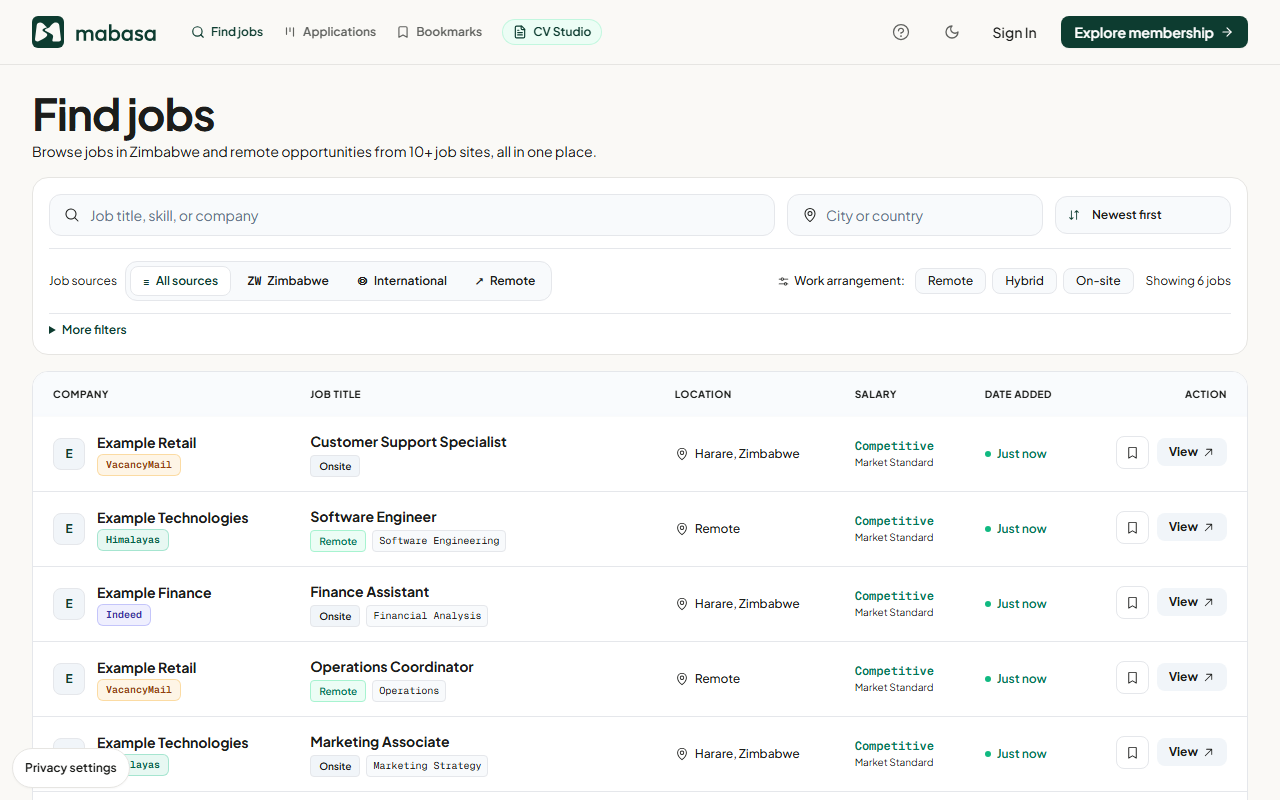
Mabasa brings listings from multiple external sources into one feed. You can use the public job-search tools without opening a Mabasa account. The employer may still ask you to create an account on its own application site.
Read beyond the title. Compare the company, location, work arrangement and description. Similar titles can mean different levels of responsibility. Do not assume a missing salary is competitive or that an old listing is still accepting applications.
- Open the jobs feed and enter a role or skill.
- Add a location and use the available source or work-arrangement filters to narrow the results.
- Open an interesting result and read its description, requirements and source information.
- Save relevant jobs to Bookmarks so you can revisit them in this browser.
Open the original listing before applying
Follow the job’s source or application link. The original publisher sets the deadline, documents and application route. If the advert has been removed, is marked closed, or redirects somewhere unrelated, look for confirmation on the employer’s own careers site before sending anything.
Check the employer through a channel you find independently, rather than relying only on a number or link inside the advert. A familiar logo, a professional-looking page or an HTTPS padlock does not by itself verify the person recruiting.
- Employer name and role agree across the advert and the destination page.
- The deadline has not passed, and any time-zone detail is clear.
- The application email, portal or address matches the employer’s published instructions.
- The required qualifications and work location fit your situation.
- The advert does not ask you to pay to secure the job.
Apply once, then record what you did
Prepare the exact documents the employer requests. Use the subject line or reference number in the advert, check attachments, and send through the original application channel. Mabasa does not submit the application for you.
After you submit, record the role in Applications and mark it Applied. Keep the original link, confirmation email and the CV version you sent in a folder you control. A bookmark means you saved an opportunity; it does not mean an application was submitted.
- Check the same employer and role have not already been applied for.
- Save the confirmation or sent email.
- Choose a follow-up date in your calendar, respecting the employer’s contact instructions.
- Download a tracker backup before clearing browser data or changing devices.
Pause when a vacancy asks for money or sensitive details
The FTC’s job-scam guidance flags requests for money and personal information. Its warning signs can help you assess an online advert; its reporting routes are US-specific.
Stop and verify if someone asks you to pay for a guaranteed job or return part of a payment. Do not send identity documents to an unverified contact. Mabasa cannot certify every third-party vacancy.
Sources & product details
- FTC: Job scams ↗
General scam patterns and verification advice; US reporting routes are not Zimbabwe-specific.
- Mabasa listing disclaimer ↗
Our boundaries as an aggregator of third-party listings.
Product instructions reflect the implementation reviewed on 22 October 2026. Example screenshots may differ from your device or a later release. This guide is prepared by Mabasa; external sources do not endorse the product.