How to build and download a CV with Mabasa
Create a CV using free templates, replace sample details, check your mobile preview and download an A4 PDF from Mabasa CV Studio.
Read the guideFREE TO USE · NO ACCOUNT NEEDED
CV Studio lets you enter your details, choose a free template and generate an A4 PDF without an account. Both free and paid users can use the manual builder. Free generation is limited to three per day; optional AI resume assistance belongs to paid memberships.
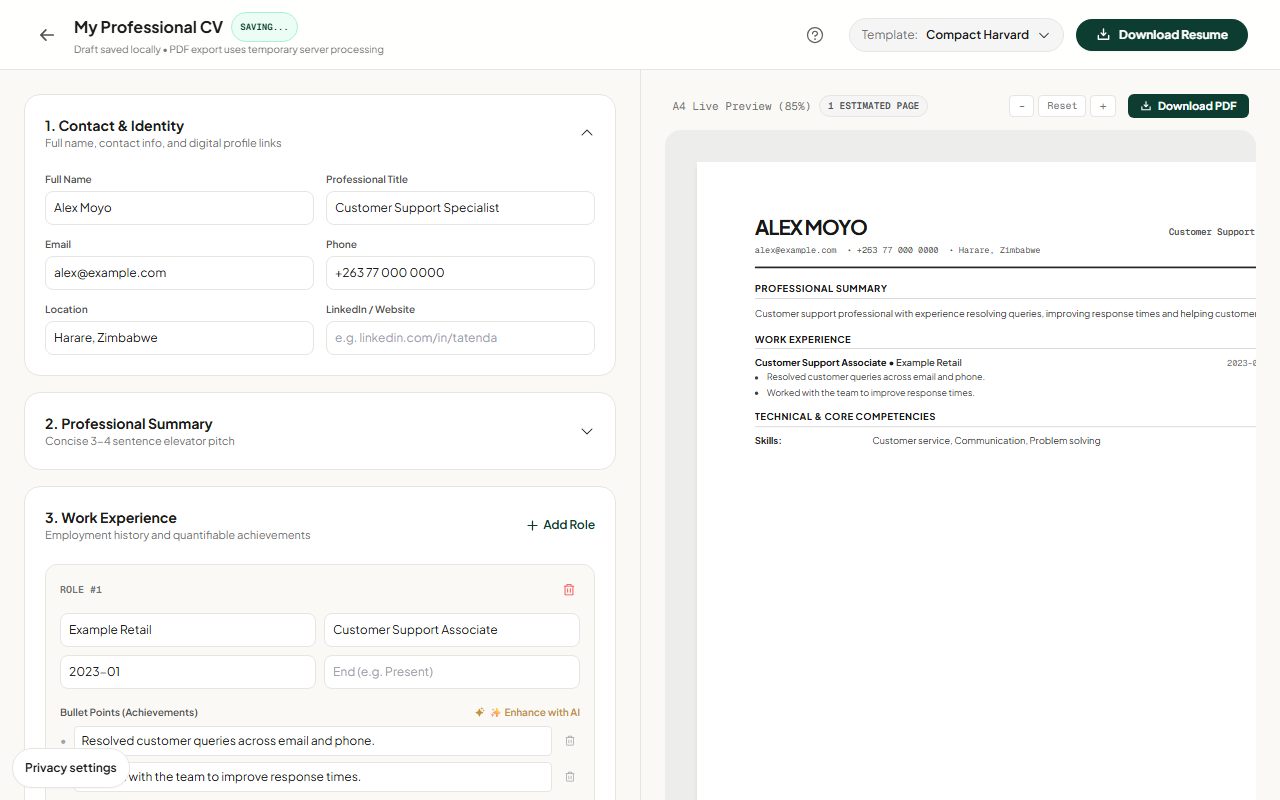
Start with your real details and replace any sample content. Write specific experience bullets, choose a template and inspect the preview. On mobile, switch between the editing form and preview so both remain usable.
Use Download Resume to generate the PDF, then open the downloaded file and check every page. A well-formatted document still needs accurate facts and must follow the employer’s requested format.
Guest drafts are stored in your browser. Clearing site data or changing devices can remove access, so download important documents and keep backups.
Generating a PDF sends CV content to the server for processing. Paid AI features also process the information you submit. Manual CV editing does not require sending your draft to an AI tool.